
Description
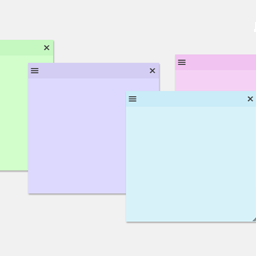
Need a simple way to stay organized inside your WordPress admin area? Sticky Notes for WP Dashboard lets you add customizable sticky notes right to your dashboard—just like the ones on your desk, but smarter.
Use it to jot down reminders, create to-do lists, or leave quick notes for other users. Each note can be styled, resized, and moved around to fit the way you work. Whether you’re managing a personal site or running a team, Sticky Notes makes it easy to keep important information front and center.
Why you’ll love Sticky Notes for WP Dashboard:
– Create as many sticky notes as you need, anywhere in the admin dashboard
– Change colors, fonts, and themes to match your style
– Drag and drop notes to position them exactly where you want
– Show or hide notes with one click
– Duplicate, archive, and organize notes easily
– Control who can access notes with user role restrictions
– Option to hide notes on specific admin pages for a cleaner view
With an intuitive interface and zero setup required, Sticky Notes for WP Dashboard is a must-have productivity tool for any WP site owner.
Features
- Create sticky notes directly on your WP admin dashboard
- Easy-to-use interface for quick note management
- Customize notes with themes, colors, and fonts
- Resizable and movable notes for better organization
- Hide or show notes globally with one click
- Duplicate notes with a single click
- Archive notes for future reference
- Disable sticky notes on specific admin pages
- Limit note access by user roles
Our Other Free Plugins
Screenshots
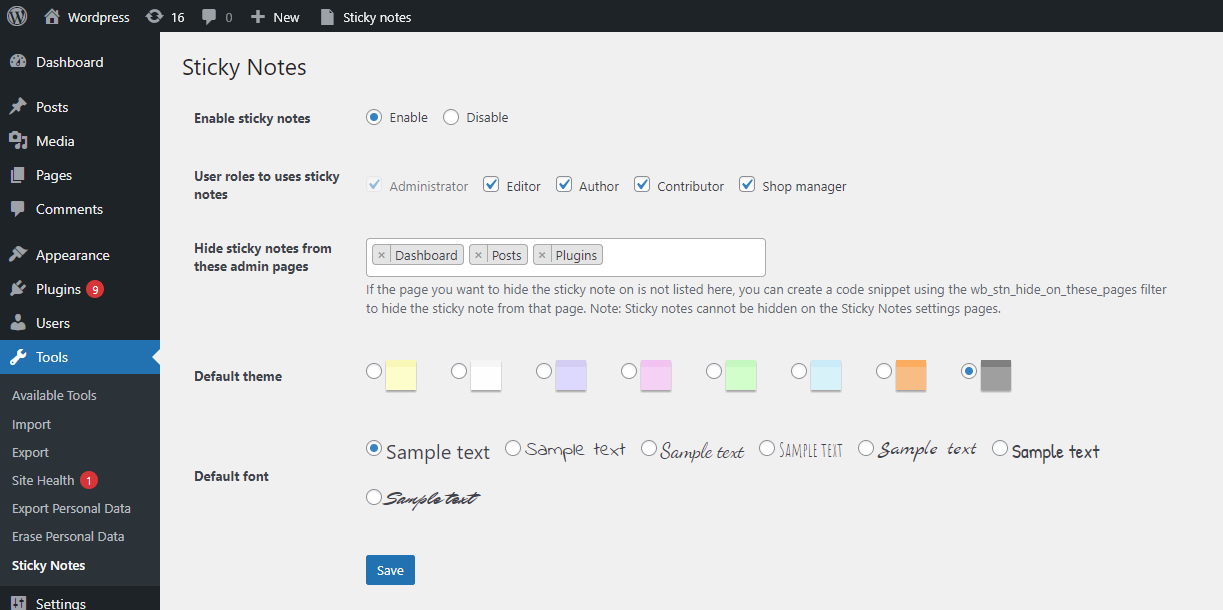
Sticky Notes settings page 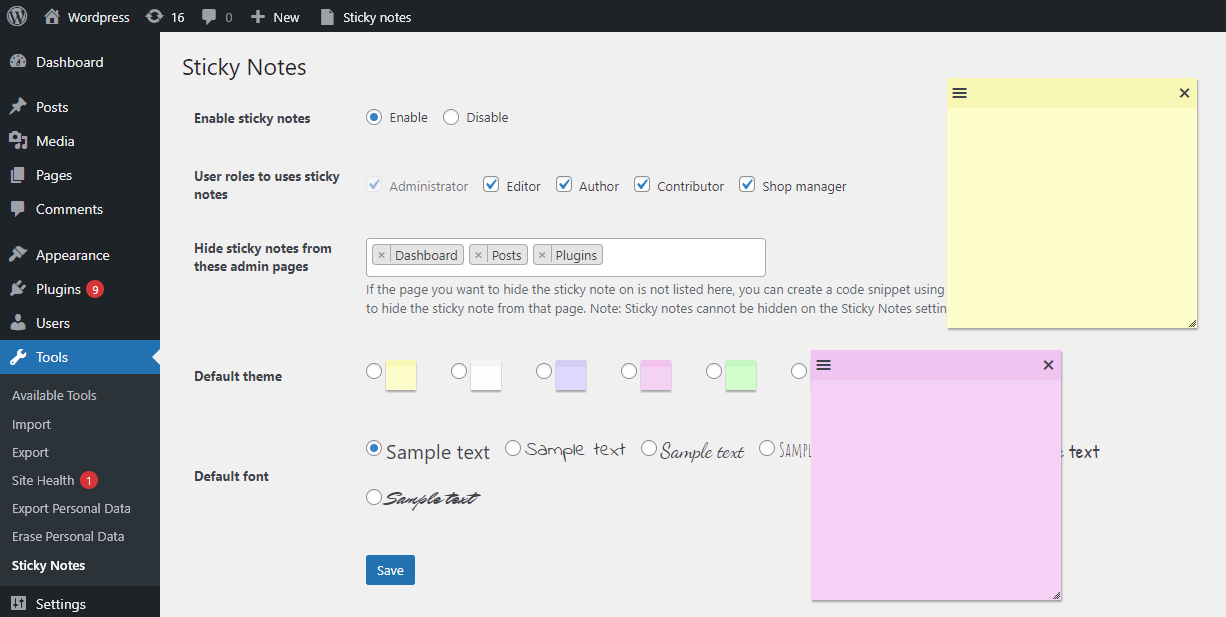
Multiple sticky notes on the dashboard 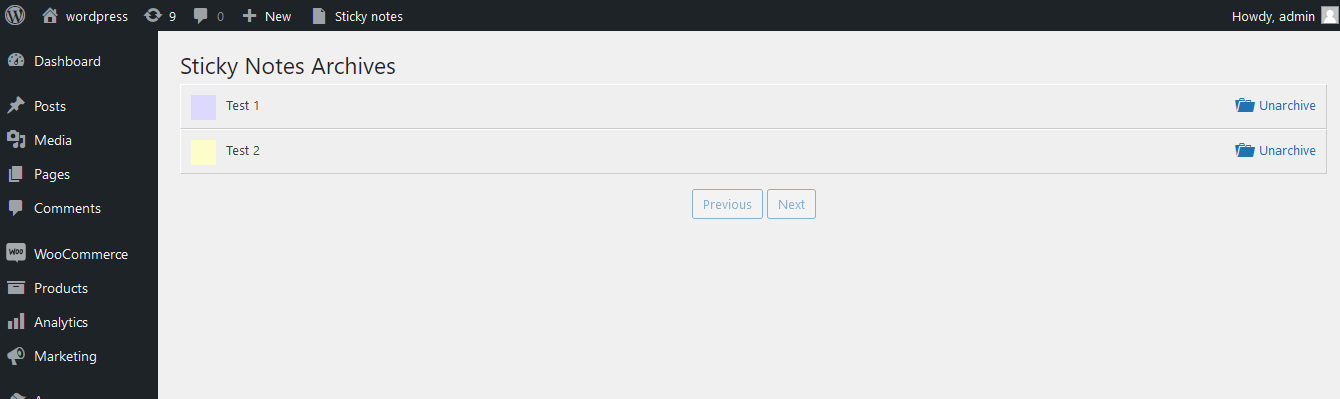
Notes archive page
Installation
- In your WordPress admin dashboard, go to Plugins Add New.
- Search for Sticky Notes for WP Dashboard.
- Click Install Now, then Activate.
Once activated, you’ll see the Sticky Notes menu in the WP admin toolbar.
FAQ
-
How can I create a new sticky note?
-
Go to any page in the WordPress admin dashboard. From the top admin bar, click Sticky Notes Create New Note.
Note: If you enabled the setting to allow notes only on specific admin screens, this option will be available only on those screens. -
Can I hide or minimize the notes?
-
Yes. You can globally hide or show all notes using the toggle under the Sticky Notes menu in the admin toolbar.
-
Are sticky notes resizable and movable?
-
Yes. You can drag notes by their header to reposition them and resize them as needed.
-
Can I change the color and style of a note?
-
Yes. Each note has its own customization menu on the top-left corner to change themes and fonts.
-
Can I disable sticky notes on specific admin screens?
-
Yes. From the plugin settings, select the admin screens where you want to hide notes. If a screen is not listed, use the
wb_stn_hide_on_these_pagesfilter to hide it programmatically.
Reviews


Contributors & Developers
“Sticky Notes for WP Dashboard” is open source software. The following people have contributed to this plugin.
Contributors
“Sticky Notes for WP Dashboard” has been translated into 6 locales. Thank you to the translators for their contributions.
Translate “Sticky Notes for WP Dashboard” into your language.
Interested in development?
Browse the code, check out the SVN repository, or subscribe to the development log by RSS.
Changelog
1.2.6
- Tested with: WooCommerce 10.6.1
- Tested with: WP 7.0-RC1
1.2.5
- Security updates
1.2.4
- Tested with WP 6.9
1.2.3
- Tested with WordPress 6.8.3
1.2.2
- [Add] FAQ section.
1.2.1
- Tested with WordPress 6.8
1.2.0
- [New] Added an option to hide sticky notes on specific admin pages.
1.1.7
- Tested with WordPress 6.7
- [Fix] Undefined variable
$wb_stn_action(Thanks @antipole).
1.1.6
- Tested with WordPress 6.6
1.1.5
- Tested with WordPress 6.4
- [Add] User role-based restrictions
1.1.4
- Tested with WordPress 6.3
- Tested with PHP 8.2
1.1.3
- Tested with WordPress 6.2
1.1.2
- Tested with WordPress 6.1.1
- New Grey color theme
1.1.1
- [Add] Note archiving feature
- Tested with WordPress 6.0.1
1.1.0
- [Fix] Undefined variable
$state
1.0.9
- [Fix] Positioning issue in WooCommerce product edit pages (Thanks @imborx).
1.0.8
- Tested with WordPress 5.9
1.0.7
- Tested with WordPress 5.8
1.0.6
- Tested with WordPress 5.7
1.0.5
- Tested with WordPress 5.6
1.0.4
- Tested with WordPress 5.5
- New Orange color theme
1.0.3
- Tested with WordPress 5.4
1.0.2
- Tested with WordPress 5.3
1.0.1
- Added system default font for better readability
1.0
- Initial release